Understanding Takeoff Measurement Units in Construction: A Practical Guide
What I Used to Believe
For years, I relied on manual takeoffs for construction estimation, believing that the human touch offered unmatched accuracy. I thought software tools were clunky, prone to errors, and too rigid to handle the complexities of real-world projects. After all, how could a program account for unique site conditions, regional quirks, or the inevitable errors in architectural drawings?
Manual takeoffs felt like a necessary evil—a methodical process of extracting quantities from blueprints one line item at a time. It was tedious, but I trusted it. I believed the extra hours spent measuring and counting were worth it for the precision they delivered. However, I eventually realized that this approach had significant limitations, especially as project complexity increased.
The Shift to Automation
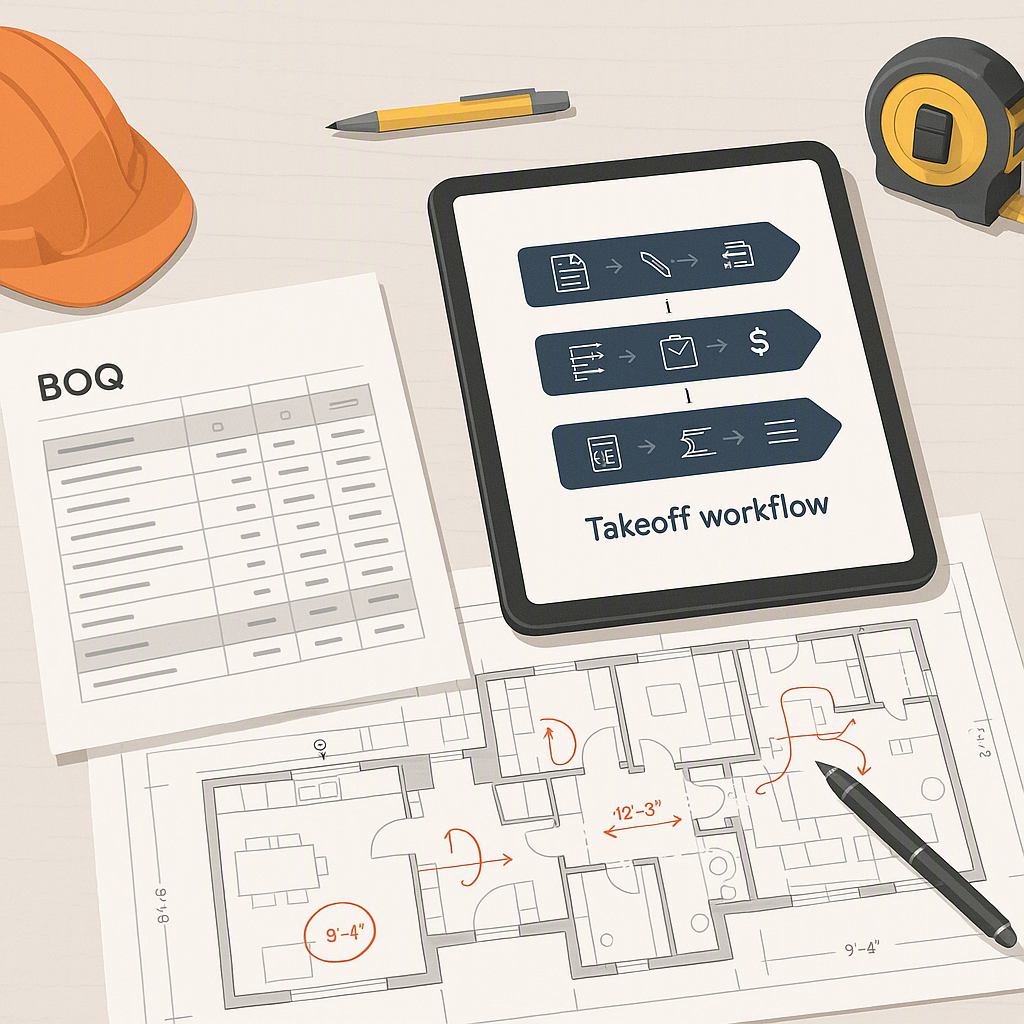
The transition to automation tools for takeoff measurements marked a turning point in my approach to construction estimation. Automation tools simplify the process by allowing site engineers to record measurements directly into a system that calculates quantities, flags inconsistencies, and even generates reports. These tools also handle unit conversions seamlessly, reducing the risk of errors that are common in manual processes.
For instance, when working on a multi-story construction project, manual takeoffs could take days to verify quantities across floors. Automation tools, however, can do this in minutes. By inputting basic dimensions, such as length, width, and height, the software makes accurate calculations and provides immediate feedback on potential errors or mismatches.
Actionable Steps to Adopt Automation:
- Identify Reliable Tools: Research software options like PlanSwift, Bluebeam, or Autodesk’s Quantity Takeoff to find one that matches your project needs.
- Start Small: Begin with a single project or smaller scope to test how automation integrates with your existing workflows.
- Train Your Team: Invest in hands-on training to ensure engineers and quantity surveyors can use the tools effectively.
- Integrate with Existing Systems: Ensure the software you choose can seamlessly connect with your other project management tools.
- Evaluate ROI: Track time saved, error reduction, and improved accuracy to measure the benefits of automation.
Why the Old Belief Lasted So Long
Looking back, my resistance to automation wasn’t entirely irrational. Manual takeoffs had survived for decades because they seemed reliable. You could see the numbers, check them yourself, and feel confident in their accuracy. Software, on the other hand, felt like a black box—calculations happening out of sight, with little room for human oversight.
Another reason was the lack of trust in digital tools. Contractors often hesitated to adopt new technology, fearing it would require extensive training, disrupt workflows, or lead to costly mistakes during the learning curve. Early takeoff tools also struggled with regional variations in measurement units, such as the difference between using cubic meters (Cum) in India and square feet (Sqft) in GCC countries. This limitation amplified skepticism around their real-world applicability.
Actionable Steps to Overcome Resistance:
- Build Trust Through Pilot Projects: Demonstrate the reliability of automation tools by using them in a controlled environment before scaling.
- Address Training Concerns: Offer beginner-friendly workshops and tutorials tailored to your team’s skill level.
- Showcase Time Savings: Compare manual vs automated workflows in terms of time and error rates to highlight the benefits.
- Select Region-Specific Tools: Choose software that supports both metric and imperial units, ensuring compatibility with diverse projects.
What I Do Differently Now
Today, I rely on automation tools for every takeoff, starting with material measurements. These tools have proven their reliability by consistently delivering accurate results and saving time. For example, when calculating plasterwork quantities, automation workflows allow you to input dimensions—length, breadth, and height—directly into the system. It calculates the total measured quantity, flags discrepancies against the BOQ (Bill of Quantities), and ensures the unit of measurement aligns with project standards.
Here’s an extended example to illustrate automation in action:
| Work Item | Location | Dimensions | Unit of Measure | Calculated Quantity |
|---|---|---|---|---|
| Plastering (North Wall) | Block A, Floor 2 | Length: 6.5m, Height: 3.2m | Sqm | 20.80 Sqm |
| Concrete (Foundation) | Site A | Length: 10m, Breadth: 4m, Height: 0.5m | Cum | 20.00 Cum |
| Flooring (Corridor) | Block B, Ground Floor | Length: 12m, Width: 2m | Sqm | 24.00 Sqm |
| Brickwork | Block A, Wall 1 | Length: 8m, Height: 2.5m, Thickness: 0.2m | Cum | 4.00 Cum |
By automating these calculations, you eliminate the risk of human error, reduce time spent on repetitive tasks, and improve overall project efficiency.
Common Errors in Using Takeoff Measurement Units
Whether manual or automated, errors in using measurement units can wreak havoc on construction projects. These errors often lead to procurement mistakes, delays, or budget overruns. Below are actionable insights into the most common errors:
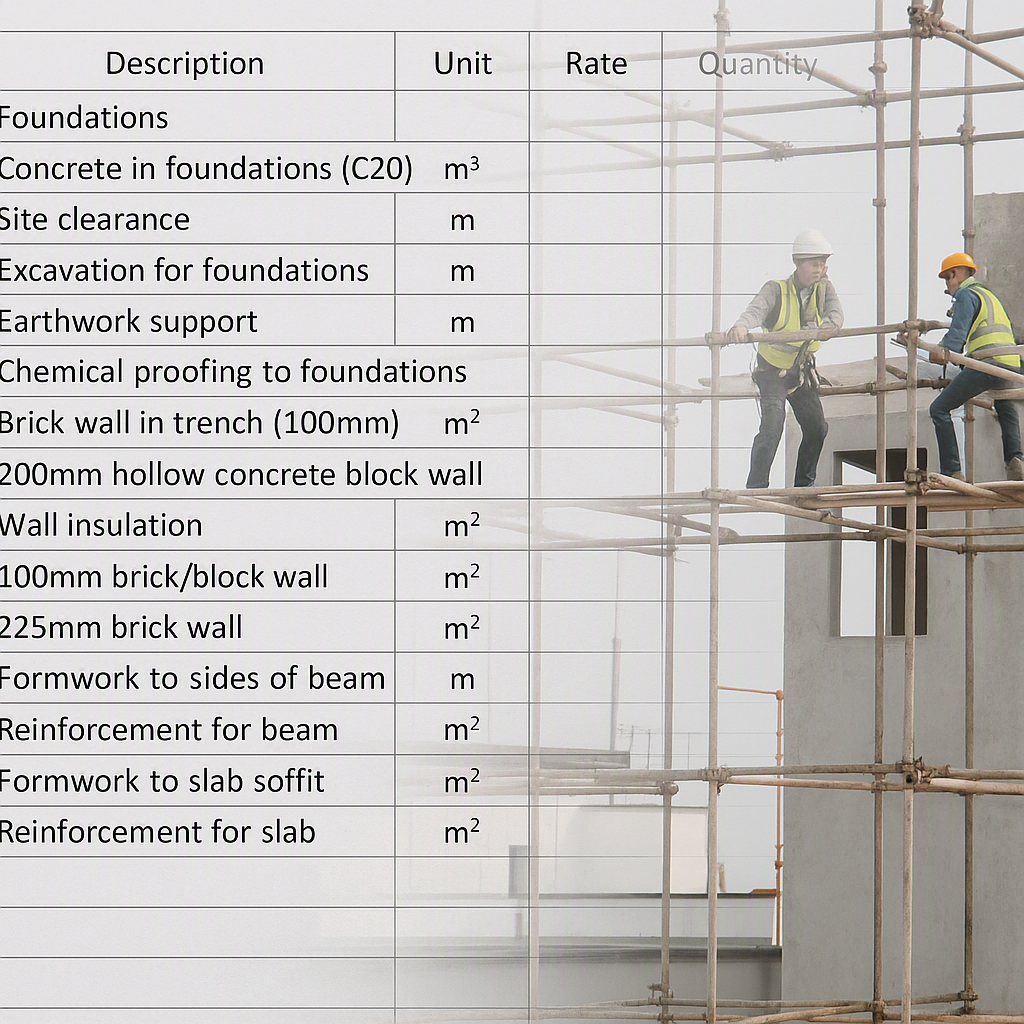
- Unit Mismatches: Using square meters (Sqm) for area-based measurements but cubic meters (Cum) for volumetric items without converting correctly can lead to inaccurate material orders. For instance, ordering concrete in Cum but measuring flooring in Sqm would create confusion if conversions are not correctly handled.
- Overlooking Regional Variations: For example, Indian projects often use metric units (meters, kilograms, cubic meters), while GCC projects may prefer imperial units like feet or pounds. A failure to adjust for these variations can lead to procurement errors, disputes, and added costs.
- Incomplete Measurements: Forgetting to measure all dimensions (length, breadth, height) for volumetric items like concrete is a frequent issue in manual takeoffs. This omission results in underestimating material needs.
- Incorrect BOQ Standards: Not aligning takeoff units with the BOQ can result in discrepancies. For example, if the BOQ specifies Cum and the takeoff uses Sqft, mismatched quantities will lead to errors in procurement and billing.
- Human Error: Misreading dimensions from blueprints, entering incorrect numbers manually, or overlooking key details can cause significant downstream issues, including budget overruns and schedule delays.
How Automation Fixes These Issues
Automation tools address these errors by standardizing workflows, improving accuracy, and reducing human oversight required at every stage. Here’s how:
- Unit Alignment: Automation tools enforce unit consistency by ensuring alignment between the BOQ and all takeoff measurements. For example, if the BOQ is in Cum, the system will flag any input in Sqft for correction.
- Regional Adaptability: Modern software supports both metric and imperial units, making it easy to switch between regional standards. Some tools even allow you to set default units based on the project location.
- Real-Time Validation: Automation tools validate measurements against project standards in real time, flagging discrepancies before they become issues.
- Documentation: Supporting evidence, such as photos, sketches, or annotations, can be attached to measurement records, reducing disputes during verification or billing.
Connecting Measurement Units to BOQ and Estimation Workflows
Accurate takeoff measurement units are foundational to BOQ creation and estimation workflows. Here’s a breakdown of their role:
- BOQ Validation: Correct takeoff measurements ensure the BOQ reflects actual quantities needed for the project. This minimizes the risk of underestimating or overestimating costs.
- Procurement Planning: Accurate units and quantities allow procurement teams to source the right materials, avoiding delays or shortages on-site.
- Subcontractor Billing: Measurement-based tracking ensures subcontractors are paid accurately for completed work, reducing disputes and fostering trust.
- Cost Control: Misaligned units in takeoffs can lead to budget overruns. Automation ensures consistent unit usage, enabling more precise cost control.
Best Practices for Managing Takeoff Measurement Units
Avoiding costly errors requires a disciplined approach. Here are actionable steps to manage takeoff measurement units effectively:
- Standardize Units Across Projects: Ensure consistency in the units of measurement used in your organization. For example, decide whether all projects will use metric or imperial units.
- Automate Calculations: Leverage reliable automation tools to reduce the risk of human error in takeoffs and calculations.
- Validate Measurements Regularly: Cross-check takeoff measurements against site conditions and BOQ standards to catch discrepancies early.
- Train Your Team: Provide hands-on training for site engineers and quantity surveyors to ensure they can use measurement tools effectively and understand best practices.
- Attach Evidence: Include photos, sketches, and other reference documents with each measurement record to improve transparency and reduce disputes.
Decision Framework: Manual vs. Automated Takeoffs
| Criteria | Manual Takeoffs | Automated Takeoffs |
|---|---|---|
| Accuracy | Prone to human error | High accuracy with validation |
| Speed | Time-consuming | Rapid calculations |
| Unit Conversion | Manual and error-prone | Automatic and seamless |
| Regional Adaptability | Limited | Easily configurable |
| Cost | Low upfront cost, high labor | Higher upfront cost, lower labor |
| Scalability | Difficult for large projects | Scalable for complex projects |
Call-to-Action
If manual takeoffs are slowing you down, automation tools can help streamline your workflows and improve accuracy. Explore available solutions to make your construction estimation process more efficient. Tools like PlanSwift, Bluebeam, and Autodesk’s Quantity Takeoff can give your team a competitive edge in managing measurement units and takeoffs effectively.
Learn more at EstimateNext