Accurate Costing Starts with the Right BOQ Template
Interior design projects are notorious for cost overruns. It's easy to see why: material choices change, labor estimates miss the mark, and timelines stretch. But more often than not, the root cause is poor initial costing. If your BOQ (Bill of Quantities) is incomplete or inaccurate, you're setting yourself up for trouble.
A well-structured BOQ isn't just a list of items; it's your roadmap to profitability. Here's how you can build one that works.
Key Fields Every Interior Design BOQ Must Have
A BOQ for interior design isn't rocket science, but the devil's in the details. Missing or vague entries can wreak havoc later. Here’s what every BOQ should include:
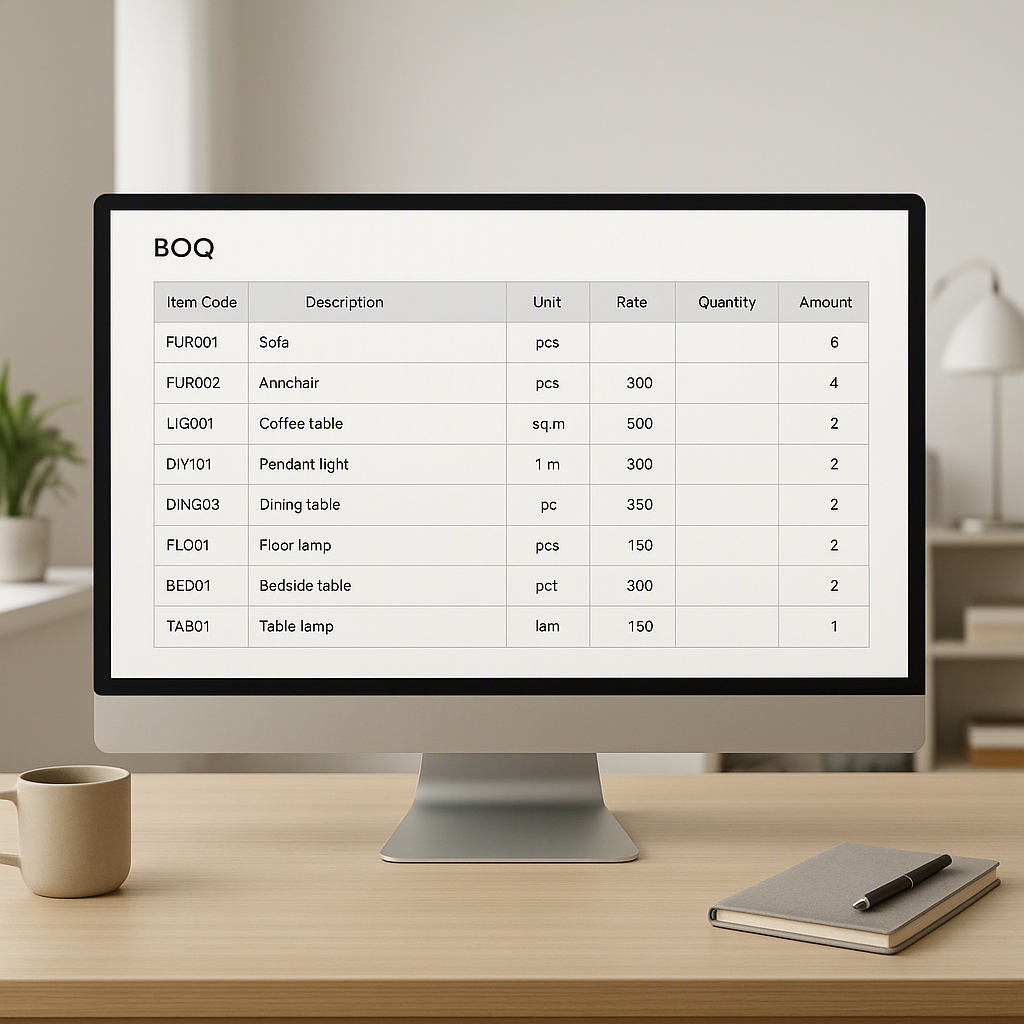
| Field | Description | Example |
|---|---|---|
| Item Code | Unique identifier for tracking each item | ID-F001 (Flooring Item 1) |
| Description | Detailed text matching the contract language | "Polished marble flooring, 600x600 mm" |
| Unit | Unit of measurement | Sqm |
| Rate | Contractual rate per unit | ₹5,000.00 |
| Quantity | Total contracted quantity | 120 Sqm |
| Amount | Automatically calculated as Rate x Quantity | ₹6,00,000.00 |
These fields define your deliverables and pricing structure. If you're working on a multi-phase project, JobNext can help you break BOQ items into stages — a feature that’s a lifesaver for projects like large commercial interiors where you need to manage milestones. This functionality ensures you allocate costs accurately across phases like flooring, furniture, and fixtures.
Additional Fields to Consider
In addition to the core fields above, here are some optional fields that can make your BOQ even more comprehensive:
| Field | Description | Example |
|---|---|---|
| Material Source | Indicates the supplier or vendor for the item | "ABC Marble Co." |
| Delivery Date | Expected date of material delivery | "2023-12-10" |
| Variation Notes | Notes about potential changes in specifications or quantity | "Client may change to Italian marble" |
| Approval Status | Status of client approval for specific items | "Approved on 2023-10-01" |
By expanding your BOQ to include these fields, you’ll spot potential issues early and keep your project running smoothly.
Why BOQ Errors Persist (and How to Avoid Them)
Many interior designers and contractors assume that BOQ errors are simply part of the process. However, they’re usually the result of preventable mistakes. After analyzing hundreds of BOQs, we found common patterns of errors and their root causes:
Common Causes of BOQ Errors
-
Ambiguous Descriptions
- Using generic terms like "wood paneling" or "wall paint" without specifying the type, finish, or brand can lead to miscommunication and incorrect purchases.
- Solution: Always use detailed descriptions. For example, instead of "wall paint," specify "Acrylic emulsion paint, matte finish, Asian Paints brand, 1-liter can."
-
Unit Mismatch
- Errors occur when the unit of measurement doesn’t match the way materials are sold. For example, specifying "Nos" (numbers) instead of "Sqm" (square meters) for tiles can create confusion during procurement.
- Solution: Standardize the units for each material type and ensure they match industry norms. Double-check supplier documentation to confirm.
-
Rate Guesswork
- Rates for materials and labor can vary significantly based on location, season, and supplier. Estimating rates without proper research increases the risk of large discrepancies.
- Solution: Conduct thorough rate analysis for every material and service. Use historical data, supplier quotes, and market research to set accurate rates.
-
Manual Errors
- Relying on Excel spreadsheets for BOQ preparation is prone to human error — from typos to incorrect formulas.
- Solution: Use a dedicated BOQ preparation tool like JobNext, which automates calculations and minimizes the risk of manual mistakes.
Step-by-Step Guide to Preparing a BOQ for Interior Design Projects
To ensure that your BOQ is accurate and actionable, follow these steps:
1. Start with a Template
- Download a BOQ template tailored to interior design projects. A good template will include fields for item codes, descriptions, units, rates, and quantities.
- Tools like JobNext offer downloadable Excel-based templates that can be customized to your project’s needs.
2. Standardize Descriptions
- Use industry-standard terminology to avoid ambiguity. For example, instead of "Kitchen setup," specify "Modular Kitchen (L-shaped, MDF core with acrylic finish)."
- Reference supplier catalogs or industry guidelines for accurate descriptions.
3. Break Costs into Components
- Instead of lumping all costs together, break them down into material, labor, and plant costs. This helps you understand your margins and ensures transparency with clients.
| Cost Component | Example |
|---|---|
| Material | ₹3,000.00 (tiles per Sqm) |
| Labor | ₹1,500.00 (installation per Sqm) |
| Plant | ₹500.00 (tools and equipment per Sqm) |
4. Account for Variations
- Interior design projects often involve changes in scope or materials. Build contingencies into your BOQ to account for potential variations.
- Example: If the client might switch from ceramic tiles to marble, include a note specifying the cost difference per square meter.
5. Validate Your Data
- Cross-check your BOQ entries against supplier quotes, past project data, and market rates. Ensure that all calculations are accurate and consistent.
6. Leverage Technology
- Use a digital tool like JobNext to streamline BOQ preparation. These tools allow you to upload templates, automate calculations, and track changes in real time.
Common Mistakes in Interior Design BOQs (and How to Fix Them)
-
Overlooking Variations
- BOQs often fail to account for changes in quantities or specifications during the project. This can lead to cost overruns and disputes with clients.
- Fix: Use a system that tracks variations and updates the BOQ accordingly. Tools like JobNext link BOQ items to project scopes, ensuring consistency.
-
Ignoring Stage-Wise Billing
- For multi-phase projects, lump-sum costing can create cash flow issues. If you don’t align billing with project milestones, you may face delays in payments.
- Fix: Break your BOQ into stages and assign costs to specific milestones. This ensures that progress billing matches the work completed.
-
Using Outdated Templates
- Using old BOQ templates can result in errors during data entry or import into project management systems.
- Fix: Regularly update your templates to reflect current industry standards and software requirements.
Decision Framework: Manual BOQ vs. Automated BOQ Tools
| Criteria | Manual BOQ (Excel) | Automated BOQ Tools (e.g., JobNext) |
|---|---|---|
| Ease of Use | Familiar to most but prone to manual errors | User-friendly, with guided workflows and templates |
| Accuracy | High risk of typos and formula errors | Automated calculations reduce the chance of errors |
| Change Management | Requires manual updates | Tracks variations seamlessly, ensuring accurate and up-to-date BOQs |
| Time Efficiency | Time-consuming | Saves time with features like bulk uploads and template imports |
| Scalability | Difficult to manage for large projects | Scales easily to accommodate multi-phase or large-scale commercial work |
Accurate BOQ preparation isn’t optional. It’s the foundation of every profitable interior design project. If you're tired of messy spreadsheets and manual errors, JobNext can help. The platform simplifies BOQ creation, rate analysis, and cost tracking — saving you time and money.
Learn more at EstimateNext