Why Most Contractors Get BOQs Wrong
Let’s not sugarcoat it: bad BOQs are budget killers. I’m talking about vague descriptions, missed quantities, and rates pulled out of thin air. If you’re scrambling to reconcile BOQs with actual project costs, you’re not alone. According to a 2023 McKinsey report, almost 70% of construction projects go over budget, with poor cost tracking being a major culprit.
One big reason? Most contractors don’t treat the BOQ (Bill of Quantities) as the foundational document it is. Instead, they see it as a formality to win bids. But here’s the truth: a well-structured BOQ does more than just list quantities. It links every deliverable to your execution plan, your billing methods, and your cost controls. That’s where the RIBA BOQ structure comes in.
What Makes the RIBA BOQ Format Different?
The RIBA BOQ structure isn’t just a list of tasks and quantities. It’s a hierarchical system designed to mirror the actual stages of work. Think of it as a tree:
- Sections: Major categories like “Civil Works” or “MEP Installations.”
- Sub-sections: More specific areas, e.g., “Foundation Works” or “Electrical Wiring.”
- Items: The smallest unit, with details like rate, quantity, and unit of measure.
This hierarchy does two critical things:
- Organizes Work Clearly: Your team knows exactly what’s included in each section, reducing miscommunication.
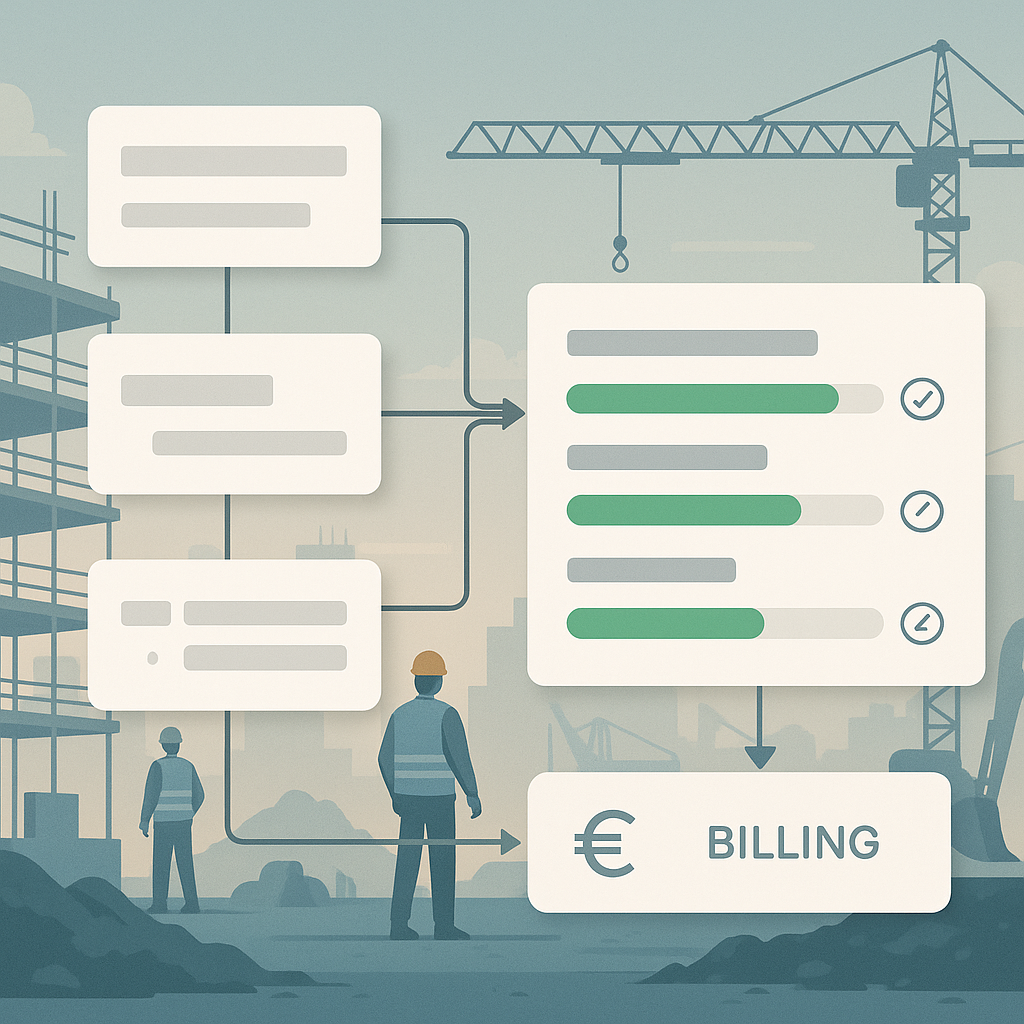
- Supports Progress Tracking: BOQ items double as checkpoints for measuring work done and billing clients.
For example, if your BOQ includes “RCC M25 for Foundation” under a sub-section for “Concrete Works,” your billing system can directly pull that line item when generating RA Bills. No more guessing which costs go where.
The Hidden Cost of Ignoring BOQ Structure
Let’s get real. If your BOQs aren’t set up right, you’re already losing money. Here’s how:
1. Missed Variations
Without a clear BOQ, change orders slip through the cracks. Suddenly, you’re absorbing thousands in unbilled extras. For example, imagine a client requests additional excavation for unforeseen soil conditions. Without a structured BOQ, such variations may not be documented properly, leading to disputes or lost revenue.
2. Billing Errors
If BOQ items don’t match your billing methods, you might undercharge—or worse, overbill and damage client trust. A poorly structured BOQ might list "Concrete Placement" in vague terms, without specifying the grade or mix. This makes it difficult to align costs with actual work done.
3. Wasted Time
Manually reconciling BOQs with actual progress can eat up hours weekly. Multiply that across projects, and you’re burning serious cash. According to EstimateNext, contractors lose up to 40 hours per BOQ just on manual preparation. That’s a week’s worth of work you could save with the right tools and processes.
Case Study: Missed Variations on a Residential Project
A contractor on a high-rise residential project underestimated concrete quantities due to a poorly structured BOQ. Additional earthwork required extra concrete for retaining walls, but these variations were neither tracked nor billed. The contractor ended up absorbing a ₹15 lakh loss. A structured BOQ with clear hierarchy and itemization could have prevented this.
How JobNext Integrates RIBA BOQ Structure
This is where JobNext shines. Its BOQ module is built with the RIBA structure in mind, making it easy to integrate with your pre-construction and execution workflows. Here’s how it works:
1. Hierarchical BOQ Creation
JobNext organizes BOQs into sections, sub-sections, and items. Each item includes fields for rate, quantity, and unit of measure, ensuring nothing gets overlooked. For example, under "Civil Works," you can create sub-sections like "Excavation" or "Concrete Works," and itemize quantities for each activity.
2. Direct Scope Linking
Every BOQ item can link to execution scopes through Work Breakdown Structures (WBS). This ensures that your internal planning aligns with client expectations. For instance, the BOQ item "RCC M25 for Foundation" can link to the WBS activity "Concrete Pouring," making it easy to track progress.
3. Automated Progress Tracking
As work gets done, measurements feed directly into the system. JobNext calculates progress billing amounts based on BOQ rates and completed quantities. For example, if your team completes 300 CUM of excavation out of 1,000 CUM, JobNext automatically updates progress and generates billing.
4. Variation Management
Changes to BOQs are tracked in real time, so you can bill for extras without delays. For example, if a client requests a change in flooring material mid-project, you can update the BOQ item and calculate the additional cost instantly.
Real-World Application: Milestone Billing
Let’s say you’re handling a lump-sum contract with milestone-based payments. JobNext lets you split BOQ items into stages, assign percentages, and generate stage-wise RA Bills automatically. No missed margins, no manual errors.
| Milestone | Completed Work | Payment Due (₹) |
|---|---|---|
| Foundation Works | 50% | 12,50,000 |
| Excavation | 30% | 6,00,000 |
Why This Matters in 2024 (and Beyond)
Construction margins are tighter than ever. A 2024 report from Deloitte predicts that rising material costs and labor shortages will continue to squeeze profitability across the industry. Contractors who fail to adopt streamlined cost-tracking systems will struggle to stay competitive.
The RIBA BOQ structure isn’t just a “nice-to-have.” It’s a survival tool. And with solutions like JobNext, you can implement it without overhauling your entire workflow. The system adapts to you, not the other way around.
Example: Competitive Edge with Digital Tools
A mid-sized contractor in Mumbai adopted JobNext to manage BOQs across 12 ongoing projects. By automating progress tracking and variation management, they reduced manual errors by 80% and improved billing cycle speed by 40%. This allowed them to win more bids by demonstrating cost transparency.
Ready to Stop Losing Margins?
If your BOQs are costing you time and money, it’s time to act. Tools like JobNext are purpose-built to simplify cost tracking, billing, and execution workflows. Get started free →
Don’t wait until your next project spirals out of control. Fix your BOQs today.
FAQ
Q: Can I use JobNext for non-RIBA BOQs?
A: Absolutely. JobNext supports custom BOQ formats, so you can adapt it to your existing processes.
Q: Does JobNext work for subcontractors?
A: Yes. Subcontractors can use JobNext to manage their own BOQs and billing, even if the main contractor uses a different system.
Q: How does JobNext handle change orders?
A: Variations are tracked directly in the BOQ module, so you can bill for extras without creating separate invoices.
Q: Is JobNext compliant with GCC regulations?
A: Yes, it supports GST/TDS compliance, Tally integration, and GCC-specific payroll features.
Q: Can I try JobNext before committing?
A: Yes. Sign up for a free trial and see how it works with your projects.
Comparison Table: Traditional BOQs vs RIBA BOQs
| Feature | Traditional BOQs | RIBA BOQs |
|---|---|---|
| Hierarchical Structure | No | Yes |
| Scope Linking | Manual | Automated via WBS |
| Progress Tracking | Manual | Automated |
| Variation Management | Limited | Real-time tracking |
| Billing Integration | Error-prone | Fully integrated |
Learn more at EstimateNext


