Are Your Residential BOQs Bleeding Margins?
Most contractors think they’ve nailed their Bill of Quantities (BOQ) process. But if you’ve ever scrambled to reconcile material costs mid-project or missed key scope items during estimation, you know the pain firsthand. BOQ errors don’t just hurt your bottom line—they create chaos on-site. Let’s fix that.
The Real Problem: BOQ Templates That Miss the Mark
Residential construction BOQs are tricky. Why? Because they involve dozens of small, repeatable items—plastering, tiling, electrical points—that pile up quickly. One missed line item or a wrong unit rate can derail your budget, delay timelines, and create disputes with clients or subcontractors.
Here’s what usually goes wrong:
-
Mismatch Between Excel Columns and Actual Scope
- Contractors often reuse generic templates that don’t align with the specific project’s scope. For example, a BOQ for a large commercial project might not fit the needs of a residential villa.
- Key scope items—like specific finishes or piping requirements—get overlooked, leading to costly revisions later.
-
Stage-Wise Allocation Errors
- Many contractors use milestone-based billing (e.g., foundation, superstructure, finishing). While effective, dividing BOQ items into stages manually is prone to errors such as double-counting or missing percentages.
-
Rate Inconsistencies
- Rates are often outdated, arbitrarily assigned, or inconsistent with market conditions. For instance, material rates may fluctuate monthly, and labor costs vary regionally.
The result? Margins erode, schedules slip, and disputes arise—none of which are good for business.
Practical Tips to Build an Accurate Residential BOQ in Excel
Creating a precise and reliable BOQ is both art and science. Here’s how you can refine your process:
1. Use a Template That Fits Your Scope
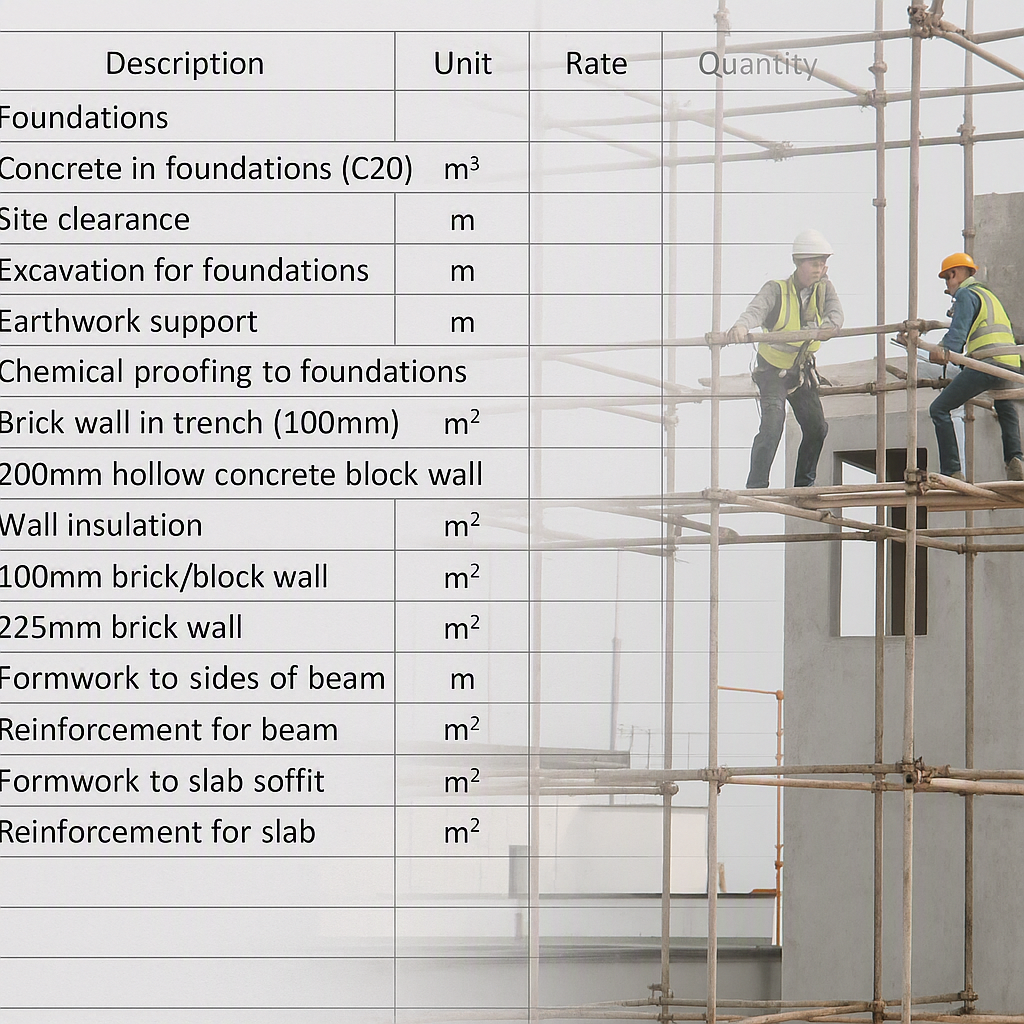
A one-size-fits-all BOQ template is a ticking time bomb. For residential projects, focus on creating a tailored template that accounts for the specific requirements of your project. At a minimum, your BOQ should include the following columns:
| Column Name | Purpose |
|---|---|
| Item Code | Unique identifier for each item to avoid duplication or confusion. |
| Description | Detailed description of the item (e.g., “Plastering 12mm with cement mortar”). |
| Unit of Measure | Standardized units like CUM (cubic meter), SQM (square meter), or NOS. |
| Rate | Unit rate based on benchmarks or recent quotes. |
| Quantity | Estimated quantities based on drawings or site visits. |
Here’s an example:
| Item Code | Description | Unit | Rate | Quantity |
|---|---|---|---|---|
| RCC001 | Reinforced concrete | CUM | ₹6,000 | 200 |
| PLT001 | Plastering | SQM | ₹250 | 500 |
| TLG001 | Tiling | SQM | ₹800 | 300 |
Actionable Tip: Download a free residential BOQ template from platforms like JobNext to get started. Their BOQFormat.xlsx ensures compatibility with their system and automates many manual checks.
2. Stage-Wise Billing: Automate It
Milestone-based billing ensures cash flow aligns with project progress. Here’s how to break it down:
| Stage Name | Stage % | Notes |
|---|---|---|
| Foundation | 30% | Excavation + RCC |
| Superstructure | 40% | Brickwork + Plastering |
| Finishing | 30% | Tiling + Paint |
Manually allocating percentages to BOQ items for each stage can lead to errors. Automation tools like JobNext can save time by calculating stage-wise costs directly from your BOQ. All you need to do is define percentages for each stage, and the tool will handle the math.
Actionable Tip: Before finalizing stage percentages, double-check the scope and sequence of work with your project managers and site engineers. This ensures alignment between billing stages and actual project progress.
3. Validate Rates via AI-Driven Tools
Rates fluctuate due to market dynamics. What was accurate six months ago might be outdated today. AI-powered tools like EstimateNext benchmark rates against:
- Current material prices.
- Regional labor costs.
- Equipment rental rates.
These tools can flag anomalies in your BOQ, like a plastering rate that’s significantly higher than market averages. This ensures your estimates are competitive yet realistic.
Actionable Tip: Use local market data as a baseline. If AI tools aren’t available, consult suppliers or subcontractors regularly to stay updated on rates.
4. Avoid Manual Errors with Excel BOQ Upload
Manual entry into ERP systems is error-prone, especially for large BOQs. For example, mismatched columns or units of measure can disrupt calculations and reporting.
JobNext allows you to:
- Bulk upload large BOQs with hundreds or thousands of line items.
- Validate the BOQ format before import to catch mismatches early.
- Automatically populate stage-wise billing fields.
Actionable Tip: Always use the latest version of your ERP provider’s BOQ format template. This reduces the risk of errors during import.
Common BOQ Mistakes to Watch For
Even experienced contractors make these mistakes. Avoid them to save time and money:
-
Generic Templates
- Using one-size-fits-all templates leads to scope mismatches. Always customize BOQs for residential projects.
-
Ignoring Units of Measurement (UOM)
- Never leave UOM undefined. For example, is the rate for paint per liter, per square meter, or per gallon?
-
Skipping Validation
- Failing to double-check totals or line items can result in significant errors. Use tools to automate validation where possible.
-
Unrealistic Rates
- Outdated or arbitrary rates can make or break your budget. Stay informed about current market conditions.
FAQ: Residential BOQs in Excel
Q1: Where can I find a free residential BOQ template in Excel?
A: Many ERP platforms like JobNext provide downloadable templates tailored for Excel BOQ uploads. Check their documentation for BOQFormat.xlsx.
Q2: How do I split BOQ items into stages?
A: Use milestone-based billing workflows. Tools like JobNext automate stage-wise allocation based on percentages, minimizing manual errors.
Q3: Can I import client-provided BOQs directly?
A: Yes, most ERP systems allow direct Excel uploads. However, ensure that the file matches the platform’s required column structure for smooth import.
Q4: How do I validate rates for residential construction?
A: AI-driven tools like EstimateNext compare rates against market benchmarks for materials, labor, and plant costs. Alternatively, consult suppliers and subcontractors regularly for updates.
Q5: What’s the best way to avoid errors in BOQ preparation?
A: Use tailored templates, automate repetitive calculations, and validate data using AI or manual cross-checks. Avoid reusing generic formats.
Final Thoughts
BOQ accuracy is non-negotiable in residential construction. Small errors compound quickly, leading to blown budgets and strained client relationships. The right Excel template, combined with automated tools like JobNext, can save hours of manual effort and protect your margins.
If you’re ready to streamline your BOQ workflow, explore tools like JobNext and EstimateNext. They offer powerful features tailored to modern contractors, helping you deliver accurate estimates, stage-wise billing, and error-free imports every time.
Learn more at EstimateNext