Why Free BOQ Templates Save Time and Margins
Every contractor has faced this: a client sends over a Bill of Quantities (BOQ) in a format that looks like it was cobbled together in the 90s. Columns are mismatched, line items are incomplete, and you spend hours reformatting just to make sense of it. Worse, if the BOQ upload fails, you're stuck manually fixing hundreds of items.
Here's the real problem: BOQs aren't just spreadsheets. They're the foundation for your quotes, budgets, and eventual profitability. If your BOQ is riddled with errors, expect margin erosion before the project even starts.
A free, pre-built template tailored to your trade can eliminate most of these headaches. Let’s break this down.
What Makes a Good BOQ Template?
Contractors across different trades—civil works, MEP, HVAC, landscaping—have unique needs. A general-purpose BOQ template won’t cut it. You need:
-
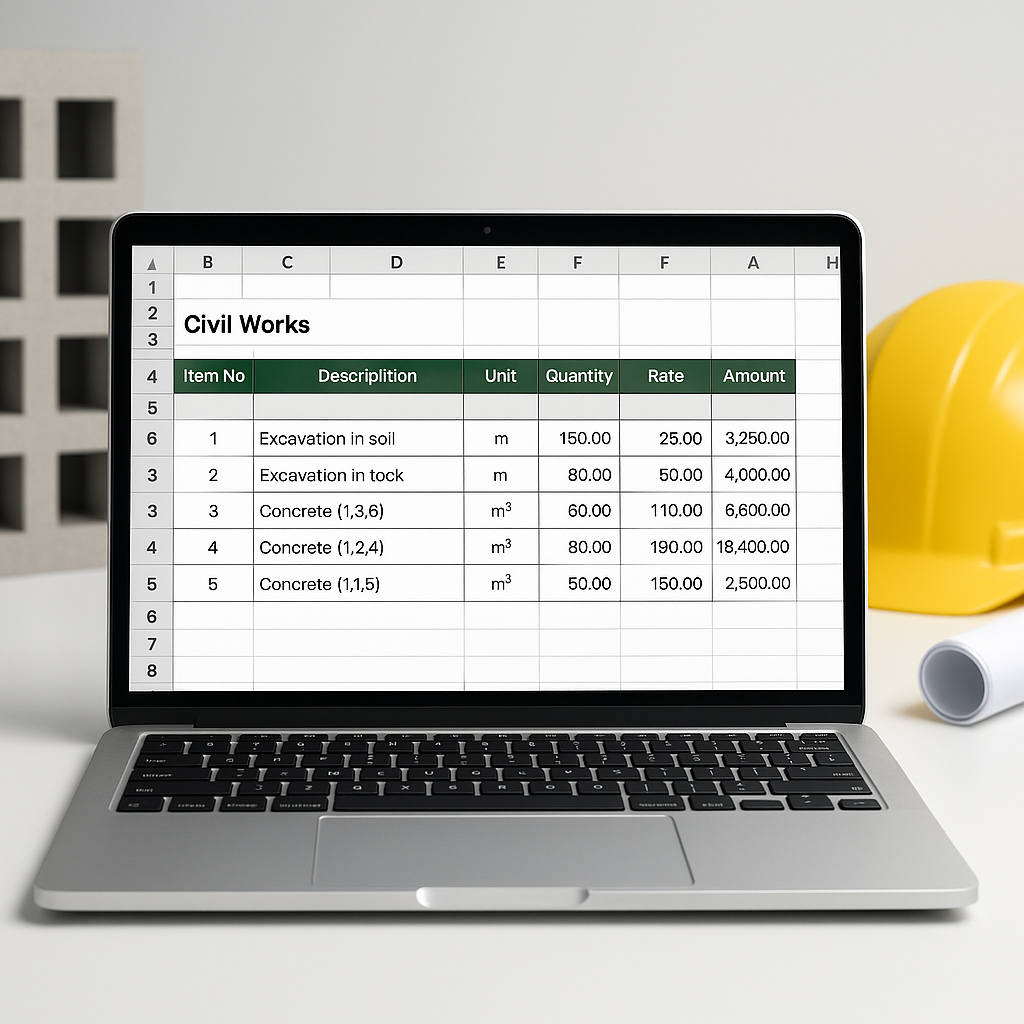
Predefined Columns: Every BOQ template should include item codes, descriptions, units (UOM), rates, quantities, and amounts. If these aren’t standardized, you’re asking for trouble.
-
Group and Item Hierarchy: Organize BOQ items into logical categories like “Civil Works,” “Electrical,” or “Finishing.” This helps during cost analysis and progress tracking.
-
Stage-Wise Allocation: For phased projects, items should be split into stages. For example, a portion of concrete for the foundation phase, another for the superstructure, etc. This ties directly to milestone-based billing.
-
Excel Compatibility: Most clients use Excel for their BOQs. A good template should mirror this format with clear instructions for data entry.
What happens if you get these right? Faster uploads, fewer errors, and cleaner handoffs between preconstruction and execution teams.
How JobNext Simplifies BOQ Management
Manual BOQ uploads are a pain, no question. That’s why tools like JobNext include features to streamline the process. Here’s a practical example:
-
Pre-Built Templates: Instead of creating a BOQ from scratch, download a structured template with columns for code, description, UOM, rate, quantity, and amount.
-
Excel Uploads: JobNext lets you directly import BOQ files into your project setup. No need to manually enter hundreds of line items.
-
Auto-Population: Once uploaded, BOQ data auto-populates into your project’s execution scope. This ensures your teams are working with clean, accurate data.
-
Stage-Wise Splitting: For phased billing, you can allocate percentages to project milestones within the BOQ upload—no manual calculations required.
If you’re dealing with messy BOQs, these features can significantly reduce errors and save time.
How to Use BOQ Templates Effectively
Ready to start? Follow these steps:
-
Download the Template: Grab a free BOQ template tailored to your trade. Get it here.
-
Prepare Your Data:
- Fill in item codes and descriptions exactly as your client provides.
- Use standard units of measurement (e.g., Cum, Sqm, Nos).
- Double-check rates and quantities.
-
Upload to Your Tool:
- If using JobNext, upload the completed Excel file directly.
- Verify the import summary to catch any errors.
-
Use Stage-Wise Allocations:
- For phased projects, split BOQ items into stages. Allocate percentages based on project milestones.
-
Cross-Check Outputs:
- Before finalizing, review the auto-calculated amounts. Spot errors early to avoid billing disputes later.
Common BOQ Mistakes (And How to Avoid Them)
-
Skipping Template Updates: Always download the latest template before preparing a BOQ upload. Older formats can fail.
-
Ignoring Stage Allocations: For milestone-based billing, forgetting to allocate percentages can create cash flow issues later.
-
Manual Entry Errors: A single typo in rates or quantities can skew your entire bid. Leverage tools like JobNext for automated validation.
-
Overcomplicating Group Hierarchies: Keep it simple. Too many layers in the BOQ hierarchy make it harder to track progress.
FAQ
Q: Can I use the BOQ template for any trade?
Yes. The template is customizable, so you can adjust item codes and descriptions based on your client’s scope.
Q: What if my client provides their own BOQ format?
If your client insists on their format, you can still map their columns to the template structure for faster uploads. Use JobNext’s import summary to identify errors.
Q: How can I ensure accurate rates in my BOQ?
Rate analysis is critical. Tools like those discussed in the How to Use a Rate Analysis Calculator for Accurate Construction Estimates guide can help you validate rates before finalizing your BOQ.
The Bottom Line
BOQs are your first line of defense against margin erosion. A properly formatted template ensures accuracy, saves time, and sets you up for clean execution. If you’re struggling with BOQ management, tools like JobNext simplify uploads, stage allocations, and tracking.
Download your free BOQ template now →
Illustrative Example — BOQ Template Columns
| Item Code | Description | Unit | Rate | Quantity | Amount |
|---|---|---|---|---|---|
| 1.1.01 | Excavation - 500 CUM @ 120/CUM | Cum | 120.00 | 500.00 | 60,000.00 |
| 2.2.03 | RCC M25 grade concrete (foundation) | Cum | 4,500.00 | 1250.00 | 56,25,000.00 |
Learn more at EstimateNext


