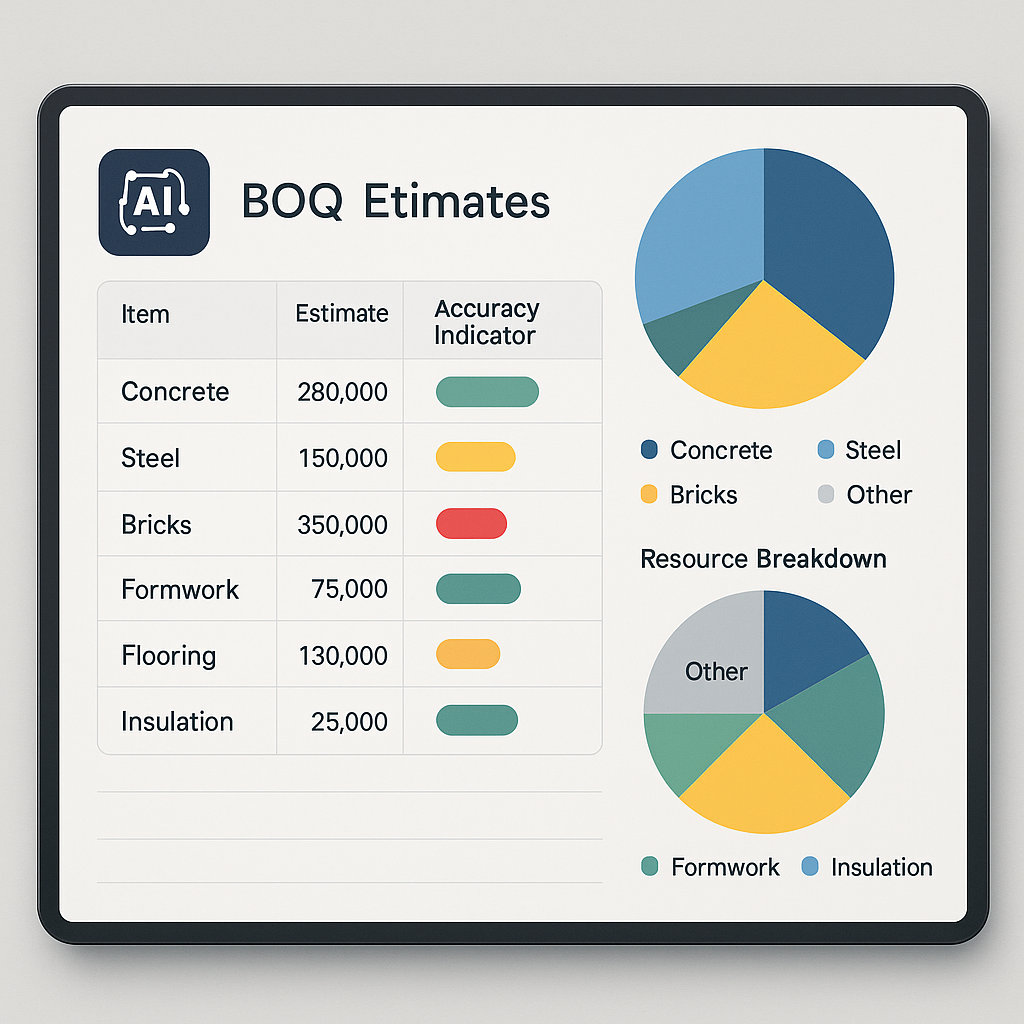
AI Estimation Use Cases: Practical Applications for Contractors
Margins are tight in construction. A single bad estimate can wreck a project’s profitability before it even begins. But most contractors focus only on direct costs—labor, materials, subcontractors—and ignore the ripple effects downstream. AI estimation tools are changing that, offering more precision and enhancing workflows across the project lifecycle.
Why Every Estimate Matters
Estimates are not just planning documents; they’re the backbone of project execution. Every decision downstream—procurement budgets, subcontractor work orders, and cost variance reports—relies on the integrity of the estimate. If your estimate is inaccurate, everything else falls apart. Let’s break this down:
Ripple Effects of Bad Estimates
-
Material Procurement
- Suppose you underestimate cement quantities. This error can lead to emergency purchases, which are often at higher costs. Worse, it could delay the project if suppliers can’t meet your short-notice demands.
- Accurate estimates ensure procurement teams can secure bulk orders at competitive rates, reducing overall costs.
-
Subcontractor Scope
- An inaccurate scope can result in disputes, missed deadlines, and costly change orders. For example, if you underestimate the labor hours required for electrical installation, subcontractors may demand additional compensation, throwing off your budget.
-
Cost Tracking
- Budget variance reports compare actual spending to estimates. If the original estimate is flawed, you won’t know whether your project is on track or hemorrhaging money. This makes financial oversight almost impossible.
How AI Improves Estimates
AI-powered tools like JobNext tackle these issues head-on. By breaking every job into five resource factors—labor, material, machine, subcontractor, and overhead—AI ensures nothing is missed. Once approved, these estimates feed directly into procurement and subcontractor limits, enforcing budget discipline and streamlining project workflows.
AI’s Role in Estimation
AI tools enhance estimation accuracy by automating repetitive tasks and leveraging historical data. Here’s how they shine in three key areas:
1. Rate Analysis
AI can compare thousands of line-item rates against historical benchmarks or regional schedules. This minimizes errors in cost build-ups and ensures competitive pricing.
Actionable Steps:
- Upload historical rate data from past projects into your AI tool.
- Use the tool to benchmark current supplier quotes against regional averages.
- Flag suspicious discrepancies for human review.
Example: A contractor in Pune used AI-assisted rate matching to identify a 12% markup on steel pricing from a supplier. The tool flagged the discrepancy, enabling negotiations that saved the project thousands.
2. Quantity Validation
AI tools can cross-check quantities in the Bill of Quantities (BOQ) against historical consumption patterns or industry norms. This is particularly useful for high-variation items like concrete, aggregates, or steel.
Actionable Steps:
- Integrate your AI tool with digital blueprints or CAD files for automated takeoffs.
- Run validation checks to compare BOQ quantities with past project data.
- Adjust estimates based on flagged inconsistencies.
Resources: EstimateNext's blog explains how AI simplifies preconstruction estimation by improving takeoff accuracy.
3. Scenario Testing
AI-driven simulations can model multiple project scenarios, allowing contractors to prepare for contingencies. For instance, you can test the impact of labor efficiency drops or material price spikes.
Actionable Steps:
- Define key risk variables (e.g., fuel costs, labor productivity).
- Run simulations to assess financial and schedule impacts.
- Use insights to renegotiate supplier contracts or adjust resource allocations.
Example: A GCC contractor used AI to model the impact of a fuel price surge. The insights helped them renegotiate diesel supplier contracts, mitigating potential cost overruns.
Common Mistakes in Estimation
Even with AI tools, human error still creeps in. Here are three common pitfalls and how to avoid them:
1. Over-Reliance on Fixed Rates
Market schedules change frequently, and last year’s rates may no longer apply. Assuming static costs can erode margins.
Solution:
- Regularly update rate databases within your AI tool.
- Cross-reference with supplier quotes and regional benchmarks.
2. Ignoring Overheads
Many estimators focus solely on direct costs—labor, materials, and subcontractors—but forget indirect costs like insurance, temporary facilities, and pest control.
Solution:
- Use AI tools that factor in indirect costs automatically.
- Create checklists to ensure no overheads are missed.
3. Skipping Validation
AI outputs are not foolproof. Failing to review estimates manually can turn small errors into major budget problems.
Solution:
- Implement a multi-phase workflow: draft, review, and approval.
- Assign senior estimators to validate AI-generated estimates.
Practical Tips for Contractors
1. Integrate Estimates with Procurement
Ensure every material requisition and purchase order aligns with the approved estimate. Systems like JobNext enforce this automatically, reducing manual errors.
2. Use Historical Data
Review past projects to refine quantities and rates. AI tools can analyze trends faster than manual methods, but human oversight is still essential.
3. Validate with Multi-Phase Workflows
Break your estimation process into phases: draft, review, and approval. This structured approach catches errors early and ensures accountability.
FAQ: What Contractors Ask About AI Estimation
Q: Can AI replace human estimators?
A: No. AI assists with accuracy and speed, but human judgment remains critical for handling complex, unique projects.
Q: How does AI improve cost accuracy?
A: While specific improvement percentages vary, AI tools consistently reduce errors in quantity validation and rate matching by automating repetitive tasks and analyzing historical data.
Q: Is AI expensive to implement?
A: Not necessarily. SaaS platforms like JobNext include AI-driven estimation features as part of their standard offering, making them accessible to small and mid-sized contractors.
Q: What training is required to use AI estimation tools?
A: Most tools are designed with user-friendly interfaces. Basic training typically covers importing historical data, setting up project parameters, and reviewing AI outputs.
Q: Can AI tools handle regional variations in costs?
A: Yes. Advanced AI platforms allow users to customize rate databases based on regional benchmarks, ensuring estimates are location-specific.
Decision Framework: Should You Adopt AI Estimation Tools?
| Criteria | Manual Estimation | AI Estimation Tools |
|---|---|---|
| Accuracy | Prone to human error | High accuracy with automated checks |
| Time Efficiency | Time-consuming | Rapid calculations and validations |
| Cost | Low upfront cost but high risk of errors | SaaS models offer affordable entry points |
| Scalability | Difficult to scale with complexity | Easily handles large, multi-phase projects |
| Integration with Procurement | Manual, prone to mismatches | Seamless integration with procurement systems |
Recommendation:
- If you frequently face budget overruns or tight project schedules, AI estimation tools can drastically improve your workflows.
- Small contractors with limited budgets can start with SaaS platforms offering AI as part of their package.
Call to Action
If you’re struggling with estimation errors or margin erosion, it’s time to upgrade your tools. JobNext’s AI-powered estimation module offers the precision you need to thrive in today’s competitive construction industry. Learn more →
Learn more at EstimateNext


