Why BOQs Matter
If you're a contractor in India or the GCC, you may have encountered challenges with cost overruns. Procurement costs can unexpectedly increase, or billing may not align with progress on-site. In many cases, the root cause is a poorly structured Bill of Quantities (BOQ).
A BOQ isn't just a list of items with rates and quantities. It's the foundation for everything: your cost estimation, scope management, billing, and profit tracking. Without a clear BOQ, you're operating without a reliable guide.
What Makes a Good BOQ
A solid BOQ has three key elements:
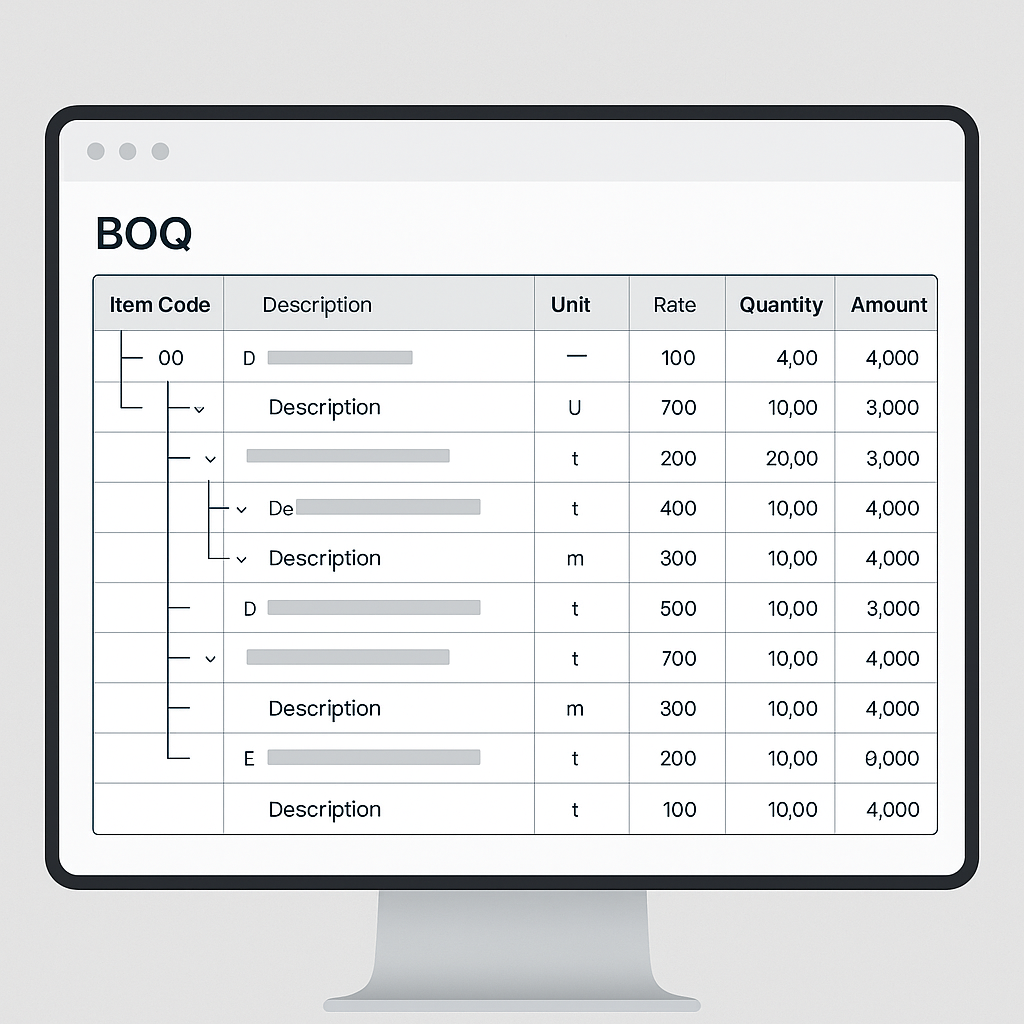
- A clear hierarchy: Every item should roll up into categories and sub-categories, like "Civil Works" → "Foundation" → "Excavation." This helps with organization and tracking.
- Accurate quantities and units: If your quantities or units of measure (UOMs) don't align with on-site realities, you're setting yourself up for disputes.
- Defined rates: Rates should be consistent across projects, ideally tied to a centrally managed rate schedule that factors in materials, labor, and equipment costs.
How to Create a BOQ: Methods and Tools
There are several ways to build a BOQ:
1. Work Breakdown Structure (WBS) Templates
For repeatable service lines like landscaping or facilities management, you can use pre-defined WBS templates. For example:
| Category | Sub-category | Item | UOM | Rate | Quantity | Amount |
|---|---|---|---|---|---|---|
| Civil Works | Foundation | Excavation for Foundation | CUM | ₹150 | 500 | ₹75,000 |
Illustrative example — how WBS templates simplify BOQ creation.
2. Excel Uploads
Some clients may provide BOQs in Excel format. Using software tools that allow BOQ uploads, you can import a client-provided template directly into your project management system. This ensures consistency and reduces manual entry. Just ensure the template format is compatible with your system.
3. Manual Entry
For projects with unique requirements, manual entry gives you full control. This is often necessary for high-end interior design or complex MEP projects where every item is customized.
Avoiding Common BOQ Mistakes
- Misaligned UOMs: If your BOQ lists excavation in cubic meters but your scope tracks it in square meters, you're asking for trouble. Align your units before uploading or entering data.
- Inconsistent Rates: Use a centrally managed rate schedule to ensure every project follows the same pricing logic. This avoids disputes with clients.
- Missing Hierarchy: If your BOQ is a flat list of items, you're missing out on the clarity that a hierarchical structure provides.
Solving Common BOQ Challenges
One common issue contractors face is progress billing—especially with milestone-based payments. An improperly structured BOQ can lead to underbilling or overbilling, both of which hurt your margins.
To address this, consider structuring your BOQ to align with project milestones. For example, BOQ items can be divided into stages like "Foundation," "Superstructure," and "Finishing." Assigning percentages to each stage ensures your billing aligns with actual project progress, minimizing disputes and revenue leakage.
FAQs
Q: What's the difference between a BOQ and a BOM? A: A BOQ lists priced deliverables for a project, while a BOM (Bill of Materials) focuses on raw materials needed for manufacturing or construction.
Q: Can I use one BOQ for multiple projects? A: It's best to create project-specific BOQs. However, for similar projects, WBS templates can save time by providing pre-defined structures.
Q: How do I determine accurate rates for BOQ items? A: Use rate schedules that break down costs into materials, labor, and equipment. This ensures consistency and accuracy across projects.
Conclusion
A well-structured BOQ is your best defense against margin erosion. It ensures accurate cost tracking, prevents billing disputes, and keeps your projects on track. By using methods like WBS templates, Excel uploads, or manual entry, you can create BOQs that align with your project needs and avoid common pitfalls.
Learn more at EstimateNext