BOQ Management Made Easy: Track Margins and Avoid Estimation Errors
If you’ve ever spent hours wrestling with an Excel spreadsheet, trying to figure out why your costs aren’t matching your estimates, you’re not alone. Many contractors lose money not because they don’t know how to price a job, but because their cost tracking systems are a mess. Things slip through the cracks — inflated vendor invoices, overlooked scope changes, or even procurement overruns. The result? Margins erode, and profits disappear.
But here’s the kicker: The problem isn’t your pricing skills. It’s your BOQ management. And that’s where a solid BOQ app comes in. Let’s break it down.
Why BOQs Are the Backbone of Your Projects
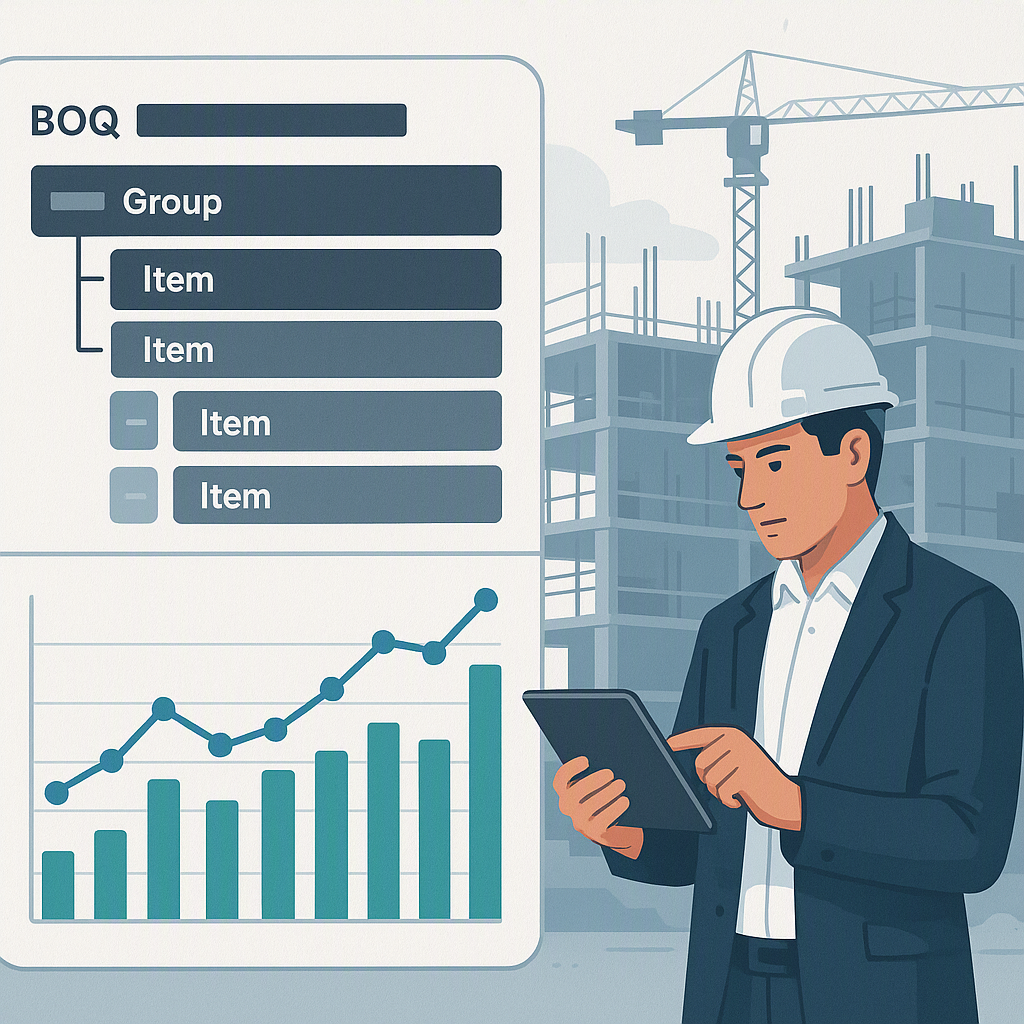
A BOQ (Bill of Quantities) isn’t just a list of items with rates and quantities. It’s the DNA of your project. Every deliverable — from excavation to finishing — is captured in a structured hierarchy. According to JobNext’s documentation, BOQs are organized into a group → item format. Groups act as folders (e.g., “Civil Works” or “MEP”), while items represent individual deliverables with their own rates and quantities. For example:
| Level | Purpose | Example |
|---|---|---|
| Group | Category container | "Plumbing" |
| Item | Individual deliverable | "Piping installation – 200m" |
Why Structure Matters
This structure ensures that nothing gets missed. But it’s also where things get tricky. Consider a scenario where your BOQ has hundreds of items — one wrong rate or quantity can throw off your margin calculations for the entire project. Without a proper structure and tracking mechanism, you’re essentially gambling with your profits.
To avoid this, practitioners should:
- Organize BOQs by Clear Categories: Define groups such as "Civil Works" or "Electrical" based on the scope of work. This ensures you can easily locate and update specific items.
- Include Detailed Descriptions for Each Item: Avoid vague entries like "Miscellaneous Works." Instead, break them down into measurable deliverables (e.g., "Concrete pouring – 200m³").
- Verify Unit Cost Calculations at the Item Level: Before finalizing the BOQ, double-check rates for materials, labor, and equipment.
The Hidden Costs of Poor BOQ Management
Margin Erosion and Its Impact
Let’s talk numbers. A BOQ margin report from JobNext compares contracted values against actual costs for labor, material, plant, subcontractors, and overheads. Negative margins on BOQ items are a red flag — they signal estimation errors, scope changes, or cost overruns. JobNext's analytics dashboard offers a critical report that reveals these problem areas.
Why does this matter? Because margin erosion isn’t just a budgeting issue; it’s a survival issue. A 2023 McKinsey report found that construction companies operate on razor-thin margins — often as low as 2-4%. If you’re not catching those negative-margin items early, you’re bleeding money.
Tangible Consequences of Poor BOQ Management
- Vendor Disputes: Inflated invoices go unnoticed, leading to unnecessary payouts.
- Scope Creep: Undocumented scope changes result in additional costs not accounted for in your initial estimate.
- Delayed Billing: Without accurate progress tracking tied to BOQ items, milestone payments get delayed, impacting cash flow.
How BOQ Estimation Software Fixes This
The Role of Automation in BOQ Management
Here’s where the right tools make all the difference. Take the JobNext BOQ App, for example. It simplifies BOQ creation, estimation, and tracking. Imagine uploading a massive BOQ — hundreds of items — directly from an Excel template. No manual entry, no typos, no missed items.
But it doesn’t stop there. JobNext offers 4 quoting methods:
- Easy Quote: Perfect for quick proposals where speed is key.
- Standard Quote: Uses rate schedules for consistent pricing across projects.
- Estimate-based Quote: Ideal for complex jobs with detailed cost breakdowns.
- Combined Quote: Merges multiple enquiries into one professional proposal.
Key Features That Drive Value
- Excel Import: Say goodbye to manual data entry. Upload your BOQ in minutes.
- Auto-Populated Execution Data: Once the contract is won, all BOQ data flows seamlessly into the execution phase.
- Real-Time Progress Tracking: Monitor the completion of BOQ items at scope and project levels.
For large contractors juggling multiple projects, these options save time and ensure pricing accuracy. The automation also reduces human error — a major source of margin erosion.
Avoiding Estimation Errors
Even with the best tools, estimation errors can happen. But there are ways to minimize them:
Step-by-Step Process
-
Review BOQ Margin Reports Weekly
- Regular reviews help catch discrepancies early. Negative margins should be investigated immediately.
-
Standardize Rate Analysis
- Break rates into materials, labor, and equipment costs. This ensures consistent pricing across all BOQ items.
-
Use Historical Data
- Leverage past project data to inform your rate assumptions. Tools like JobNext allow you to store and retrieve templates for similar projects.
-
Track Progress at Scope Level
- Work progress should be tied to each BOQ item. For example, if a deliverable is 70% complete, billing should reflect this accurately.
Comparison Table: Manual vs Automated BOQ Management
| Aspect | Manual Management | Automated with JobNext |
|---|---|---|
| Data Entry | Time-consuming, error-prone | Quick Excel imports |
| Margin Tracking | Fragmented spreadsheets | Real-time reporting |
| Rate Consistency | Prone to inconsistencies | Standardized rate analysis |
| Progress Tracking | Limited visibility | Scope-level monitoring |
| Billing | Delays and disputes | Stage-wise billing accuracy |
Real Problems, Practical Solutions
Let’s say you’re managing a ₹50 crore EPC project. You’ve got a massive BOQ, with 500 items spread across multiple groups. Using manual methods, you’d spend weeks entering data and chasing down cost discrepancies. But with a BOQ app, you can upload everything in minutes.
Even better, you can set up stage-wise billing for milestone payments. JobNext calculates amounts based on BOQ rates and stage percentages, ensuring you get paid accurately for work completed. No more disputes over progress.
FAQ: Common BOQ Management Questions
Q: How do I import a large BOQ into software? A: Use the Excel import feature. JobNext provides a template that makes this process quick and error-free.
Q: What happens if a BOQ item shows a negative margin? A: Investigate immediately. It could be an estimation error, scope change, or procurement overrun.
Q: Can I track BOQ progress in real-time? A: Yes, with tools like JobNext. Work progress is tracked at the scope level and rolled up to BOQ for reporting.
Q: How often should I review BOQ margin reports? A: Weekly. Regular reviews help catch issues early.
Q: What if my project includes supply-only contracts? A: Use inventory-based billing methods. JobNext supports this for material trading components.
Common Mistakes in BOQ Management
- Ignoring Negative Margins: They don’t fix themselves. If you see red flags, act fast.
- Inconsistent Rate Analysis: Use a standardized tool like JobNext to ensure all rates are properly calculated.
- Not Tracking Progress: Relying on guesswork instead of documented measurements leads to disputes.
The Bottom Line
BOQ management doesn’t have to be a headache. With the right tools, you can simplify estimation, track margins, and avoid costly errors. If you’re tired of watching your profits disappear, it’s time to rethink your approach.
Struggling with BOQ errors and margin tracking? JobNext can help. Get started today.
Learn more at EstimateNext